
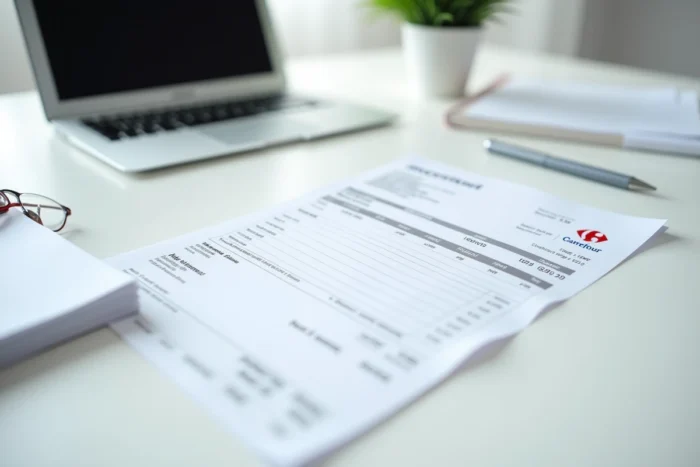
The online Carrefour invoice is based on a mechanism that is often misunderstood: it is not a classic accounting document generated automatically, but a proof reconstructed from the digital receipt. This distinction has direct consequences on access conditions, the format obtained, and availability timelines. Here, we detail the technical points that most guides gloss over.
Customer loyalty card and data retrieval: the technical prerequisite
The receipt only appears in the app if the loyalty card has been scanned at checkout. Without this scan, the purchase history simply does not show up in your customer space. The system links each transaction to the club card number, not the payment method.
In practical terms, a purchase paid by credit card without presenting the loyalty card generates no usable trace on the Carrefour app side. For professionals who shop in-store with a business card but forget the club card, the invoice will need to be requested differently, directly at the point of sale.
We recommend systematically checking that the card is properly linked to the online account before any attempt to retrieve it. A discrepancy between the physical account and the digital account (different email address, old card number not migrated) blocks the display of receipts. To obtain your Carrefour invoice online without friction, this prior verification avoids most cases of missing receipts.
Generating an invoice from carrefour.fr: SIRET and receipt number

The invoice generation service available on carrefour.fr works from two pieces of information: the number on the receipt and the SIRET of the relevant store. This is not a classic customer space with automatic history. You manually enter the references, and the system reconstructs the invoice.
The SIRET to be provided is that of the store, not that of the national brand. Each Carrefour point of sale has its own SIRET number. It is located at the bottom of the paper receipt. For users of the mobile app, the SIRET appears in the details of the digital receipt, provided that the loyalty card was indeed presented at checkout.
A common pitfall: using a generic SIRET found online. Some third-party sites offer a unique number, but this does not necessarily correspond to your store. The generated invoice may then carry incorrect information, which poses a problem in the case of expense reports or professional accounting.
Information included in the generated invoice
The reconstructed invoice includes the data from the customer account: first name, last name, address. It also incorporates the loyalty benefits applied during the purchase, making it a more detailed document than a simple duplicate receipt. Discounts, coupons, and club card reductions appear line by line.
This format has an advantage for professionals: it constitutes a readable proof with itemized amounts, unlike the thermal receipt that is often illegible after a few weeks.
Carrefour mobile app: access to receipts and limitations
The mobile app centralizes the purchase history in the dedicated section. Each receipt displays the details of the products, the amounts, and the discounts applied. Consultation is possible as long as the receipt remains in the account history.
- The receipt generally appears within a few hours after checkout, sometimes with a longer delay during peak times
- The display depends on the proper association between the loyalty card and the app account, a point to check in the profile settings
- Purchases made via drive or delivery are automatically recorded, without the need to scan the card at checkout
The app does not offer direct downloading in standardized PDF format. The digital receipt viewable in the app serves as a visual proof, but to obtain a structured document with the legal mentions of an invoice, passing through the generation service on carrefour.fr remains necessary.
Special case: invoices for Carrefour shows and events
Carrefour also offers show tickets through its dedicated platform. The management of invoices there follows different rules. Invoice issuance is possible up to one year after the event date. Beyond that, the document is no longer accessible.
The invoice for shows is issued from the “My Orders” section of the Carrefour Spectacles customer account. It includes the profile information (first name, last name, address) and all the tickets included in the order. This process is distinct from that of in-store purchases: here, there is no need for a SIRET or receipt number, everything goes through the order ID.
Temporary unavailability of the invoicing service
The online invoice generator experiences periods of overload. Carrefour sometimes reports high demand on its platform, which can lead to slowdowns or occasional unavailability. We observe that these peaks often coincide with quarterly accounting closing periods, when professionals and self-employed individuals retrieve their proofs in bulk.
In case of unavailability, two options:
- Retry outside of business hours, as the service is generally smoother in the evening
- Go directly to the store’s reception with the original receipt to request a duplicate invoice
- Systematically keep a copy of the digital receipt via the mobile app while waiting for the online service to become operational again
The online Carrefour invoice remains a practical tool, provided you master its technical prerequisites. Scanning the loyalty card at each checkout and checking the consistency between the physical account and the digital account are the two actions that prevent almost all the blockages reported by users.